deviant art

Deviant Login Shop  Join deviantART for FREE Take the Tour
[x]
  • Photo
Download Image
JPG, 1338×720
more ▶

More from ~waugh

Featured in Groups:

Details

March 31, 2007
203 KB
1338×720
Link
Thumb

Statistics

Comments: 46
Favourites: 143 [who?]

Views: 5,989 (0 today)
Downloads: 150 (0 today)
[x]
:iconwaugh:
Hi guys !

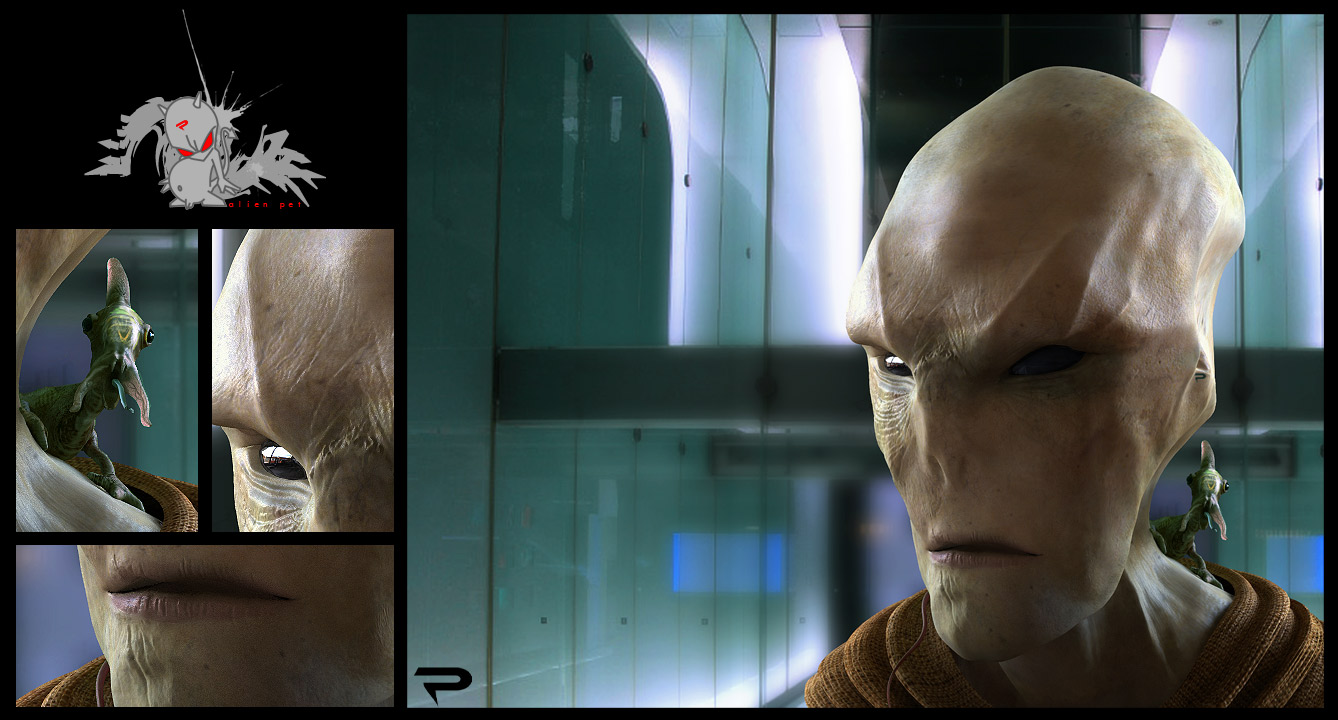
Made with 3ds max, zbrush, vray & photoshop.

thks for the feedback.

pak pak pak !!!

waugh.
Add a Comment:
 
love 0 0 joy 2 2 wow 2 2 mad 0 0 sad 0 0 fear 1 1 neutral 0 0
:icontimdale1066:
excellent, i love it.
Reply
:icon3dave:
Really well done. The details really make it look believable. The lifeless look someone else commented on looks to me like a stern, examining look on his face. The unrecognizable eyes make him look a little eerie.

I was going to comment on the missing nose holes, but then I read what dvdcpu said, and it makes perfect sense. Like the holes in the skull are still there, but they aren't used.

I'm impressed. Well thought out, and great job in execution.


-----------------------------------------
My humble gallery: [link]
Reply
:iconjtedson:
Incredible! If I didn't know bewtter, I'd say he was real.


JT
Reply
:iconedgar:
~Edgar May 26, 2008  Hobbyist Digital Artist
editable splines? how do u do this kind of geometry ??? could I ask u )))
Reply
:iconwaugh:
~waugh May 26, 2008  Professional General Artist
I don't use splines. i use edit poly in 3dsmax to make a low poly model. then i export it in zbrush to made it high poly and i start adding details.
I create normal map and displacement map in zbrush and i apply this map on my low poly to have it look high poly in the render :P
Reply
:iconedgar:
~Edgar May 26, 2008  Hobbyist Digital Artist
hah! ))) I knew.. u have got a secret weapon! :D
'so u do not use smooth modifier at all as I understand..

its just great I want to say!

ur to try this zbrush ;)
how about unwrap texture? is it included in zb?
Reply
:iconwaugh:
~waugh May 26, 2008  Professional General Artist
I smooth ( iteration 6/7 in Zbrush) the geometry in zbrush to add all the details. And i create the normal map and dispalcement map from the high poly model, then i apply the map on the low poly in max, and the render was the same as the high poly in Zbrush, with really few poly :P
For the Uv's i use some planar projection in max, then i export the uv's in deepUV to join and relax the UV, to have a nice unwraped texture without overlaping ( deepUV is really awesome for that ^^)
When the UV are ok, i start paint the diffuse texture in zbrush and i export it to photoshop ( adding detail from reference stock, refine some sahpe,paint over...)


for the displacement/normal map look at zbrush central :
[link]
Reply
:iconedgar:
~Edgar May 26, 2008  Hobbyist Digital Artist
omfg ))) really clever system
thank u for sharing your skills.. it was long time I ve last done something like this with Max.. but now I am fully inspired thanx to u... keep an eye on your works

:beer:
Reply
:iconwaugh:
~waugh May 26, 2008  Professional General Artist
see you later :P
Reply
:iconnymlord:
wow amazingly done! good job!
Reply
Add a Comment: